


Your Facebook and Instagram posts in one place
Organize content, workspaces and Instagram and Facebook posts. Start with a draft and review before scheduling or publishing.
Draft before publishing
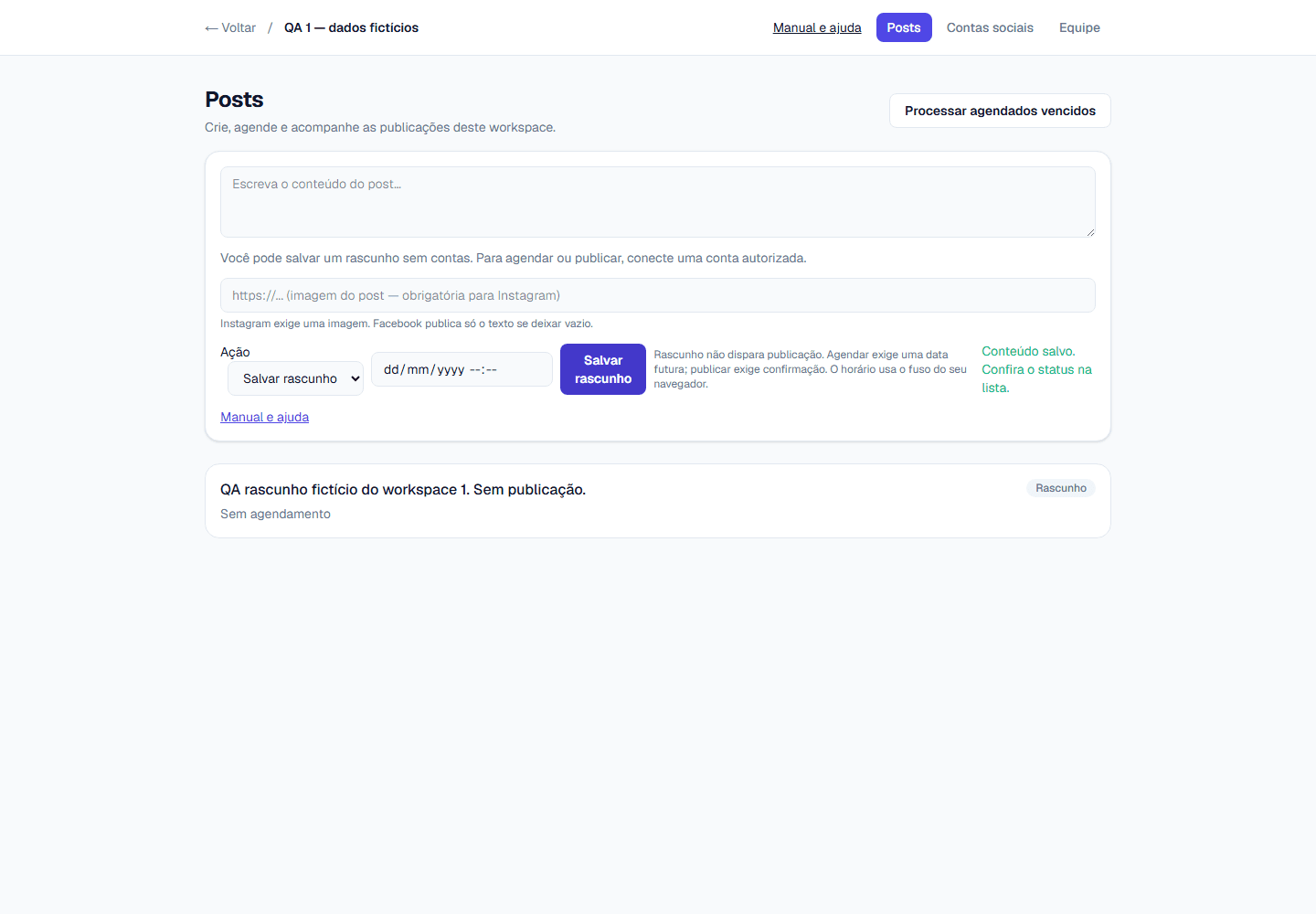
Save content as a draft without a publication date. Scheduling requires a future date; publishing now requires explicit confirmation.
Approval: check availability
The Pro catalog lists WhatsApp approval. Its complete workflow and inheritance in higher plans have not been validated; do not rely on it as an available operational step.
AI: check availability
The Pro catalog lists AI captions. Generation and its limits have not been validated in the application. Write and review your caption manually.
Isolated and secure
Workspaces organize teams, accounts and content. The roles present are Owner, Admin, Editor and Viewer. Check your workspace permissions before acting.
See the editor in use
What is FoxCMS?
FoxCMS is the Central Fox Tecnologia product for organizing social content and posts by workspace. The available flow includes accounts, teams, Meta connection, post creation and status tracking. External integrations require authorization and validation.
Try free for 7 days from registration and prepare a draft. Check the account, content and time before scheduling or authorizing publication. The manual distinguishes observed flows from integrations that still require validation.
What you do with FoxCMS
The dashboard groups teams, social accounts and posts by workspace. See the manual for observed steps, prerequisites and limits.
- Prepares drafts and organizes scheduled dates
- Provides a Meta connection flow for Facebook and Instagram, subject to authorization
- Supports manual captions and review; AI has not been validated
- Lists WhatsApp approval in the Pro catalog; its operational flow has not been validated
- Displays each post status
How to get started
Creating the account takes a few minutes and no credit card. Connecting Instagram and Facebook uses Meta's OAuth 2.0 (RFC 6749) authorization flow: you approve it inside Facebook and FoxCMS receives access to your Pages and accounts, without you copying a token or typing a social network password anywhere.
- Create your account for a 7-day trial, no credit card required
- Set up the workspace and confirm your plan and role
- With authorization, connect the correct Meta account; prepare and review a draft
- Check available features and obtain approval before scheduling or publishing
Compare plans
Prices and limits come from the backend catalog. Pro lists AI and WhatsApp approval, but the inspected backend does not establish their operation or inheritance in Agency and Enterprise. See pricing and the manual; a free account does not unlock paid features.
| Plan | Members | Social accounts | Posts per month |
|---|---|---|---|
| Free · 7 days | 2 | 2 | 30 |
| Starter | 5 | 6 | 200 |
| Pro | 15 | 20 | 1000 |
| Agency | 50 | 100 | 5000 |
| Enterprise | Contact us | Contact us | Contact us |
Frequently asked questions
Below are the questions that come up most before creating an account: what the platform is, which networks it connects, how approval works and what the Free plan covers. These same answers are published as JSON-LD using the schema.org vocabulary, and the site keeps an llms.txt in the llmstxt.org format for AI assistants to read.
What is FoxCMS?
It is an application for organizing content, social accounts, teams and posts by workspace. See the manual for observed workflows and validation limits.
Which social networks can I connect?
A Meta flow exists for Facebook Pages and Instagram accounts. Connection and publication require eligible accounts, permissions and authorization; live testing was not performed for this version.
How does WhatsApp approval work?
The feature appears in the Pro catalog. Requests, approval and history have not been validated; availability and inheritance in other plans are not guaranteed.
Do I need a credit card to start?
Try Free for 7 days from registration, with no card and no automatic charge. Creating is then restricted until you subscribe to a paid plan; your data is preserved. A new workspace does not restart the trial.
Can I work as a team?
Owner, Admin, Editor and Viewer roles exist per workspace. Confirm your role and permissions; current invitations require an existing account.